
Old Clock2.2 - Google Play
You'll be able to see results in few seconds.
Publisher Description

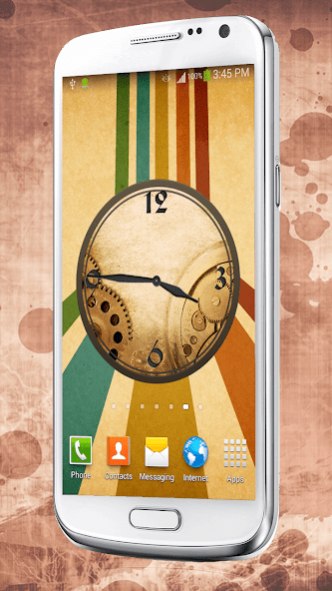

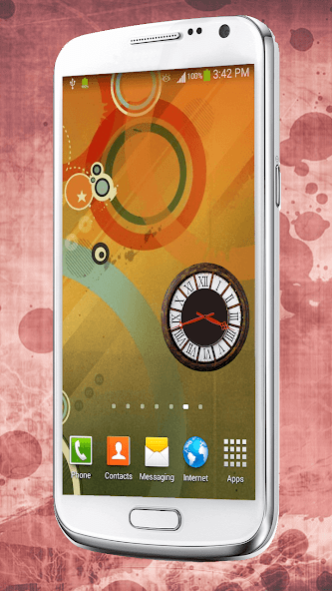
» Old Clock « – a simple analog clock that displays memories and antique design. Choose between various retro clock skins and “images of grandfather' s clock”. You will love this “old school widget” that shows time. Download this vintage clock old edition and embellish your phone with “retro style” pictures! These are the antique images with an addition of an “analog clock”! Beautiful yellow and old gold clock will be a perfect decoration for your mobile! Get this “old analogue clock” and feel the spirit of old times! These “cool themes free” will make your phone look retro and modern at the same time! Reveal the types of old-fashioned gadgets and choose one to match it with your colorful wallpaper backgrounds! Download this “old classic” clock and admire vintage fashion! Put an “old face” on your clock and have “free analog clock widgets” to defy time!
How to set the clock widget:
- Add the Old clock widget to your home screen!
- Scroll down to menu and press the 'add' button or, depending on your device, tap the empty space and long press until the pop-up menu-window lebeled “Add to home screen” appears (you might need to find + button, or the option 'widget' to add it to home screen).
- When you download the clock widget, you can choose from five widget faces, more widgets are added each day over the next five days.
- Choose from 10 amazing Analog clock designs, various skins, hands and digits!
- Long tap and hold the time clock in order to scale, move and resize it!
- Set the alarm clock by swiping through the digits on the screen and tap on set alarm button!
- Old Clock is ideal for high resolution phones and tablets!
» Old Clock « for Android ™ mobile for free! Combine the “retro backgrounds” with cool clock hands and digits and you’ll get an unique “Old Analog Clock”! On this animated clock widget you can set the alarm clock and you can have your own custom made clock! Admire this clock mechanism with amazing photo-realistic HD quality, specially built for the latest HD phones and tablets. Just one look at this Renaissance clock and this “simple analog clock widget” will make your eyes glare. Download “old HD clock” and have a modern clock for your smartphone! Carry these outdoor clocks wherever you go! Whether you like a large clock, a big clock or a small clock, you will find the suitable one for you to match it with old - fashioned wallpaper.
Features:
✰ 10 analog clocks, 5 unlocked and 5 locked.
✰ Every day a new analog clock is available.
✰ Top widget clocks of different sizes and shapes.
✰ Moon and stars clock will not wear your battery out and it will look great on your display!
✰ An unique opportunity to make your own clock!
✰ Easy to use for adults and children.
Download free » Old Clock « and bring back the ancient times! This is the best “old app’’ you can find! Wake up with smile and share old camera photos with everyone! Put some old english art and enjoy! Show it to your old grandma and she will love it, too! If you are an old lady or an old boy, download this old navy analog clock and remember the youth! This is the best classic app on the market, so hurry up and take one “retro style clock” for you!
About Old Clock
The company that develops Old Clock is Customize My Phone. The latest version released by its developer is 2.2.
To install Old Clock on your Android device, just click the green Continue To App button above to start the installation process. The app is listed on our website since 2017-09-21 and was downloaded 0 times. We have already checked if the download link is safe, however for your own protection we recommend that you scan the downloaded app with your antivirus. Your antivirus may detect the Old Clock as malware as malware if the download link to com.CMP.OldClock is broken.
How to install Old Clock on your Android device:
- Click on the Continue To App button on our website. This will redirect you to Google Play.
- Once the Old Clock is shown in the Google Play listing of your Android device, you can start its download and installation. Tap on the Install button located below the search bar and to the right of the app icon.
- A pop-up window with the permissions required by Old Clock will be shown. Click on Accept to continue the process.
- Old Clock will be downloaded onto your device, displaying a progress. Once the download completes, the installation will start and you'll get a notification after the installation is finished.
Program Details
System requirements
Download information
Pricing
Version History
version 2.2
posted on 2017-09-21
- Amazing clock designs added!
- Update your analog clock application with new widgets with outstanding graphics!
- Next update coming soon!
- Stay tuned with top widgets app!
version 2.0.1
posted on 2016-08-23
- New beautiful clock designs added,- Graphics upgraded
Disclaimer
Official Google Play Link
We do not host Old Clock on our servers. We did not scan it for viruses, adware, spyware or other type of malware. This app is hosted by Google and passed their terms and conditions to be listed there. We recommend caution when installing it.
The Google Play link for Old Clock is provided to you by apps112.com without any warranties, representations or guarantees of any kind, so access it at your own risk.
If you have questions regarding this particular app contact the publisher directly. For questions about the functionalities of apps112.com contact us.
